
This manual describes automatic programming of CGSULIT TPMS sensors using the TPMS90 device. You will also find a video tutorial at the bottom of the page.
1. Verifying the vehicle initialization type
- On the TPMS90 device, select the Advanced Mode icon in the main menu.
- Select the make, type, and model of the vehicle.
- Select Information to verify the initialization method.
- Enter the OE Sensor Information menu.
- On the third line, check the Relearn Type – A item.
If Relearn Type – A is listed, the vehicle supports automatic TPMS sensor initialization, which means that after the sensors are mounted on the wheels, the vehicle will automatically initialize them, and we can recommend this procedure.
For some vehicles, initialization must be performed using a diagnostic device (TPMS90 or any diagnostic device with TPMS initialization function), in which case the letter O is indicated in the Relearn Type item. It is possible to continue, but we recommend programming the valves via OBD-II or as a copy of the original ones.
The third option is stationary initialization (letter S), where initialization must be performed in the vehicle settings. It is possible to continue, but we recommend programming the valves via OBD-II or as a copy of the original ones.
If the letter C is listed under the Relearn Type item, this procedure is not suitable; it is necessary to create new sensors as copies of the original ones.
2. Automatic creation and loading of sensors
- Return to the main menu.
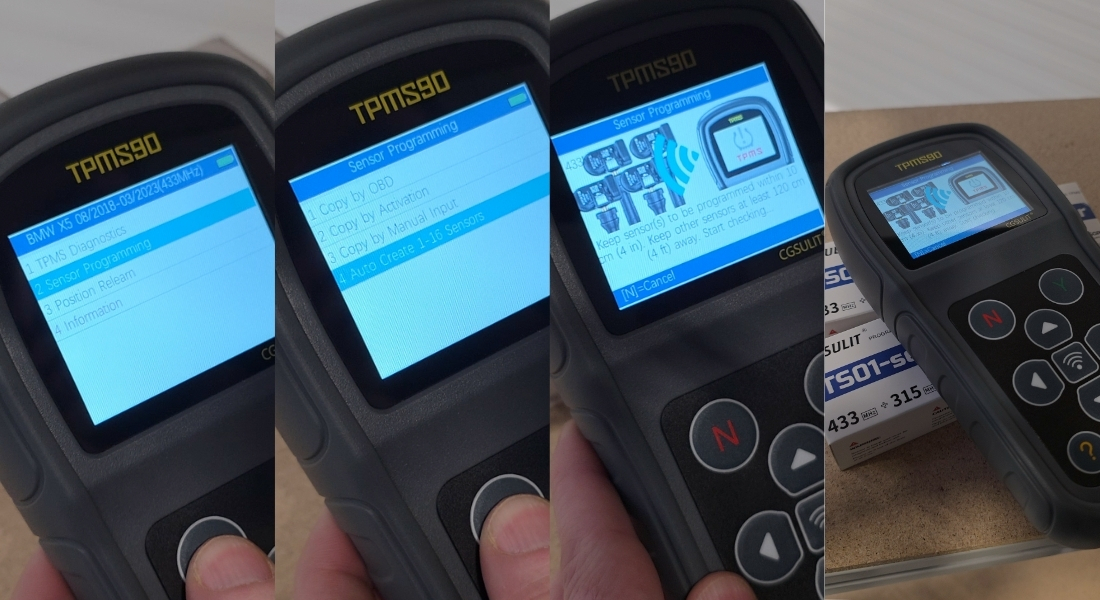
- Select the Sensor Programming function.
- Select the Auto Create 1–16 Sensors option.
After selecting this function, the device will automatically start searching for and loading the nearest TPMS sensors.
Recommendation:
- Keep the sensors (valves) as close to the device as possible.
- This will minimize the risk of incorrect or incomplete reading.
3. Programming the sensors
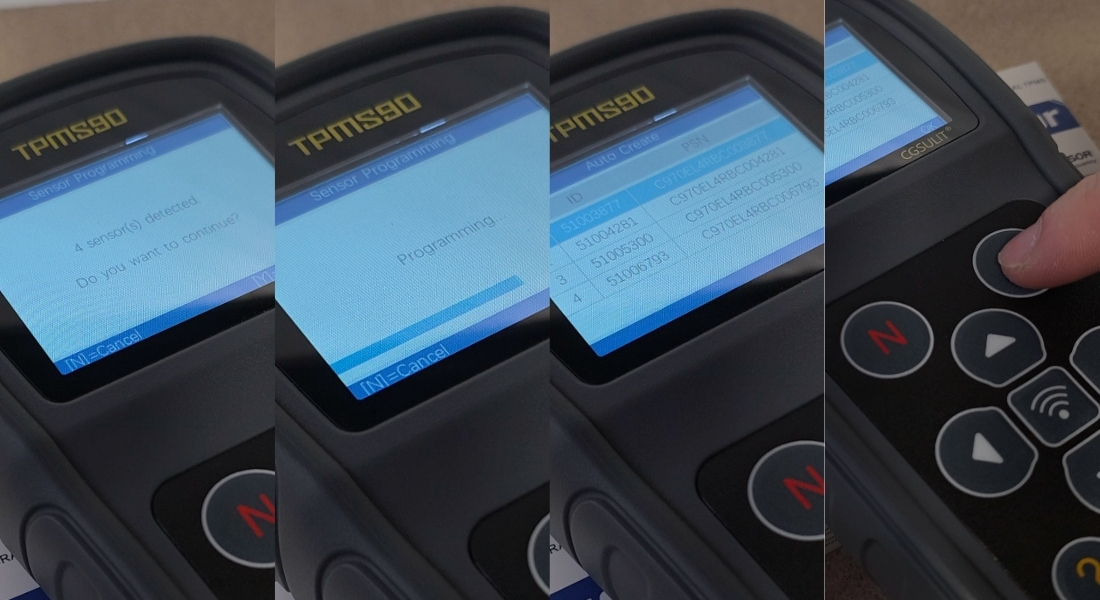
- Once the device has loaded all the required sensors, confirm your selection by pressing the Y button.
- The device will automatically start programming the sensors.
Once programming is complete, the Auto Create screen will display:
- Sensor serial number
- Sensor ID
- Confirm with the Y button
IMPORTANT NOTICE:
During programming, all sensors that you do not want to program must be at least 120 cm away from the sensor being programmed. Otherwise, the device may detect another sensor in the vicinity.
4. Installing the sensors
Once all the sensors have been programmed, you can install them on the vehicle's wheels, thus completing the programming of the TPMS sensors.