
This guide will walk you through programming TPMS sensors using the TPMS90 device. You will also find a video tutorial at the bottom of the page.
1. Selecting the programming mode
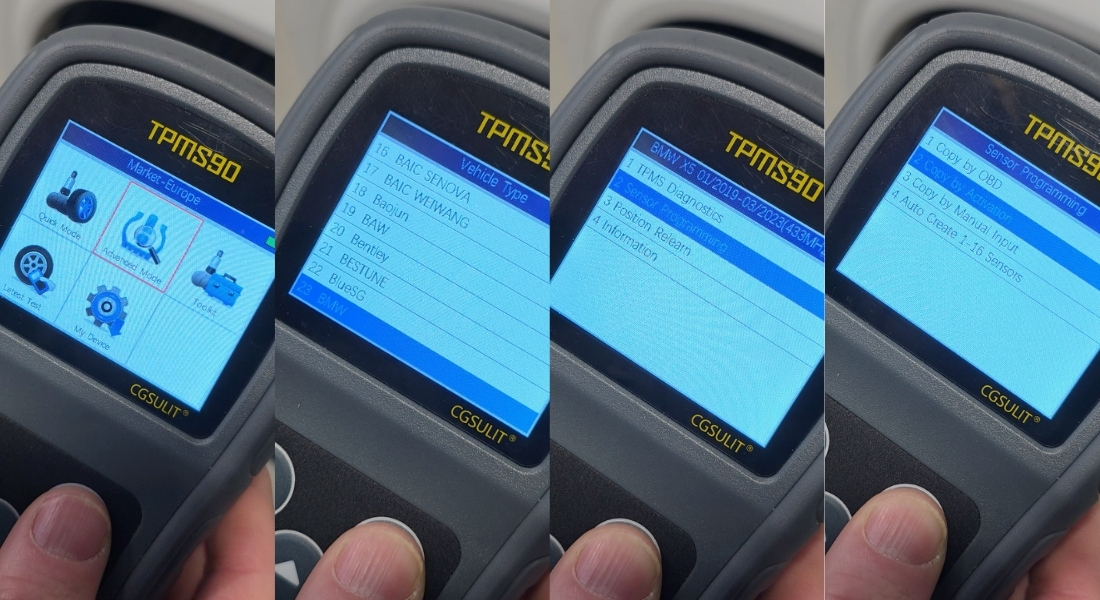
- On the TPMS90 device, select the Advanced Mode icon in the main menu.
- Select the make, type, and model of the vehicle.
- Select the Sensor Programming function.
- Select the programming type Copy by Activation.
2. Reading the IDs of the original sensors
Always scan the sensors in the same order:
- Start with the left front wheel.
- Continue clockwise (right front, right rear, left rear).
Sensor reading procedure:
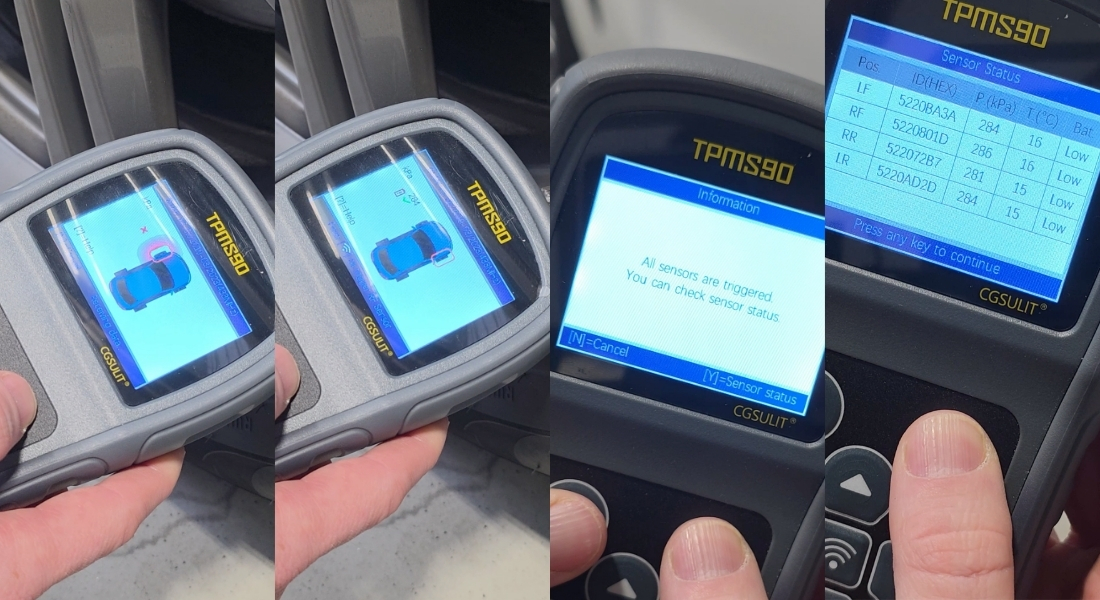
- Place the device against the valve of the wheel.
- Press the middle button to read the sensor.
- After a short while, you will hear an audio signal.
- A green icon will appear on the screen – the sensor ID has been successfully read.
- Read the IDs of all wheels in the same way.
After reading all sensors, the message "All sensors are triggered" will appear. You will see an overview of all sensor IDs on the Sensor Status screen.
Confirm with the Y button and continue.
3. Programming new sensors
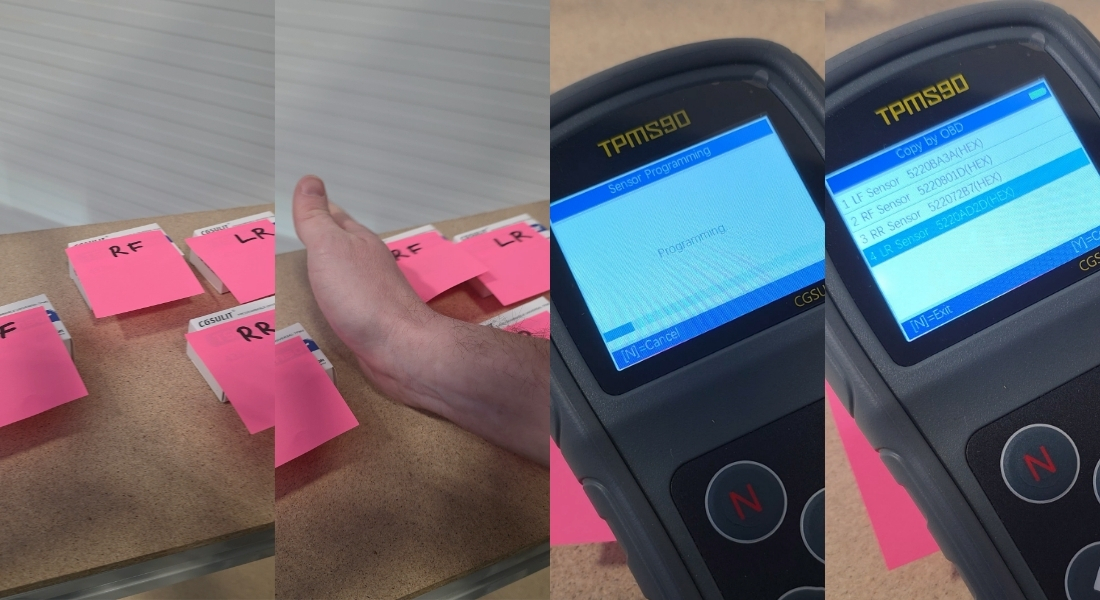
Program the sensors in the same order in which they were read.
- Select the sensor you want to program.
- Confirm your selection with the Y button.
IMPORTANT NOTICE:
During programming, all other sensors must be at least 120 cm away from the sensor being programmed. If the sensors are too close to each other, the device may detect the wrong sensor.
Recommendation: Keep the programmed sensor near the device and place the other sensors on a distant table, for example.
- Watch the programming progress on the screen.
- When finished, a message will appear stating that the sensor has been successfully programmed.
- Program all remaining sensors in the same way.
4. Installing the sensors
Once all the sensors have been programmed, you can install them in the vehicle's wheels, thus completing the programming of the TPMS sensors.