
OBDStar Ecu Master
Code: 3065/A 3065/D Choose variantProduct detailed description
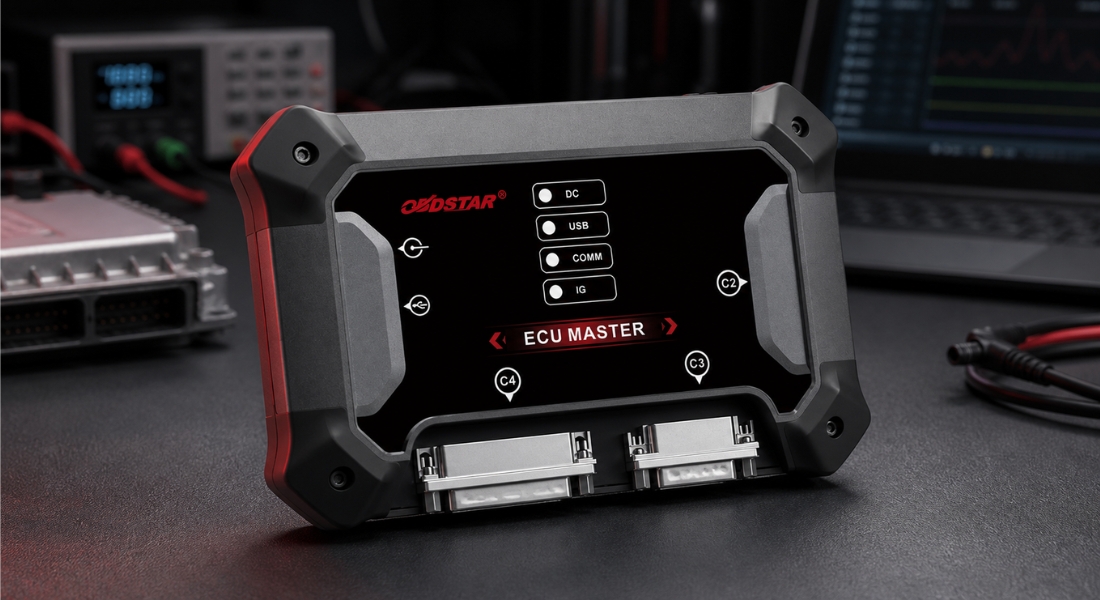
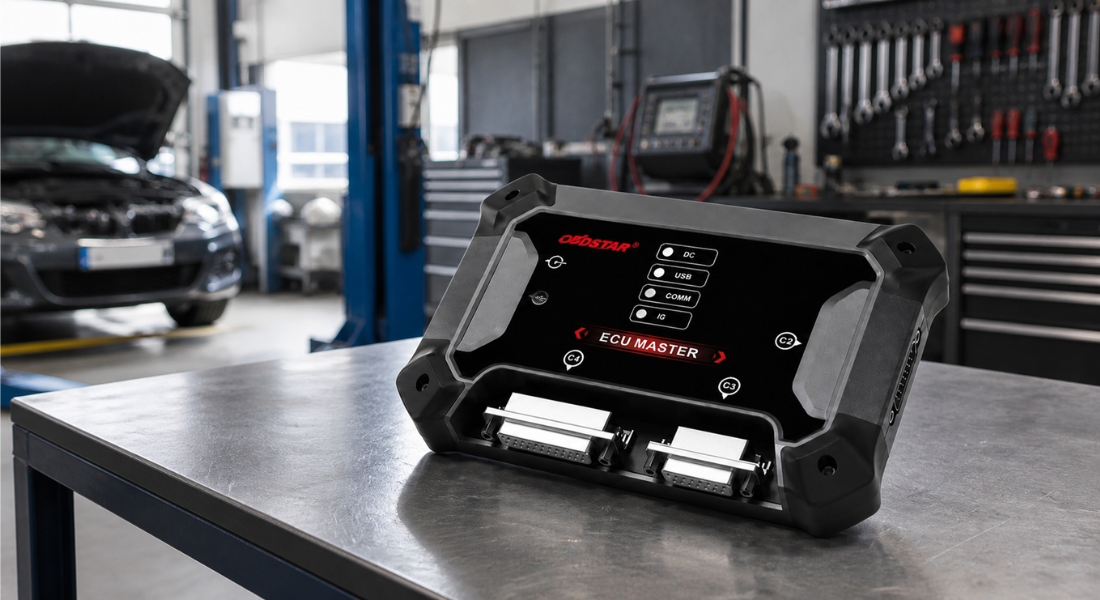
OBDSTAR ECU MASTER is a professional programmer designed to work with control units in passenger cars and electric vehicles. Depending on the selected variant, it allows for reading, writing, backing up, and cloning control unit data, or restoring supported SRS and airbag modules after an accident. The device supports the main communication methods used in programming automotive control units, including OBD, BENCH, BOOT, JTAG, and BDM modes. The software is designed for computers running Windows 10 or later. The ECU MASTER software includes warnings about incorrect procedures, which help minimize the risk of errors during unit connection and programming. For supported ECUs and airbag modules, optional specialized cables are available that allow for direct connection without manually connecting individual pins. The device connects to the computer via a USB cable. Individual operations are then performed using the user-friendly OBDSTAR ECU MASTER program.
The specific functions of the device correspond to the variant selected at the time of ordering. Supported units may vary depending on the make, model, year of manufacture, unit designation, and current software version.
Available Variants
OBDSTAR ECU MASTER is available in two separate software variants. Before ordering, select the version that corresponds to your intended use:
- Variant A – Passenger Car ECU: programming and cloning of control units for passenger cars and electric vehicles
- Option D – Crash Reset: reset of supported SRS and airbag units after an accident
Each option includes a different software package. The device’s available functions therefore correspond to the option selected when ordering.
Option A
Option A – Passenger Car ECU is designed for programming control units in passenger cars and select electric vehicles. It supports work with the ECM (Engine Control Module), TCM (Transmission Control Module), and BCM (Body Control Module), as well as with the BMS (Battery Management System) and VCU (Vehicle Control Unit) in compatible electric vehicles.
Main Features of Option A
- Reading and writing control unit data
- Cloning ECUs, TCMs, and BCMs
- Reading and writing Flash and EEPROM memories
- Backing up and transferring data between the original and replacement units
- Automatic CheckSum correction
- Reading and writing VIN
- Virgin Reset of supported units
- Personalization and data transfer
- Conversion and decryption of immobilizer data
- IMMO OFF / ON
- Reading and writing control unit maps
- Unlocking and locking supported ECUs
- Calibration of selected parameters
- Calibration of odometer and operating time for supported systems
Supported passenger car control units
Option A supports reading and writing to thousands of units used in passenger cars. Depending on the specific ECU type, available functions include cloning, VIN manipulation, Virgin Reset, data transfer, checksum correction, immobilizer data processing, and calibration of selected parameters.
Supported applications include, for example, selected transmission control units such as the Mercedes-Benz FBS3 and FBS4, BMW 8HP GEN3, Jaguar, Land Rover, Hyundai, and Kia, Ford MG1/MD1 engine control units, Volkswagen Group systems, and units from manufacturers such as Bosch, Continental, Delphi, Denso, Siemens, and Magneti Marelli.
Electric Vehicle Support
Option A also includes selected BMS and VCU units used in electric vehicles. Depending on the specific system, the device can support reading and writing data, cloning, or transferring data between the original and replacement units.
Supported applications include selected systems used, for example, in vehicles from the Volkswagen, Audi, SEAT, Škoda, Geely, Great Wall, SAIC, and BYD brands.
Variant D
Variant D – Crash Reset is designed for specialists who repair SRS and airbag modules. For supported modules, it allows you to read the necessary data, delete stored crash records, and reset the module after the restraint system has been activated.
Main Features of Option D
- Reading data from SRS and airbag modules
- Resetting crash data after an accident
- Writing corrected data back to supported modules
- Restoration of selected airbag modules
- Operation via supported modes: BENCH, BOOT, JTAG, or BDM
- Automated workflows for supported units
- Information required for proper unit connection
- Warnings regarding incorrect procedures
The availability of the Crash Reset function depends on the specific manufacturer, airbag unit model, processor used, and current software version. Before beginning repairs, we recommend verifying the module in the current list of supported units.
Supported Connection Modes
- OBD – communication and programming via the vehicle’s diagnostic port
- BENCH – working with a removed unit without having to open it
- BOOT – direct reading and writing to the unit in service mode
- JTAG / BDM – working with selected processors and memories via a direct connection
Supported Communication Protocols
- CAN – ISO 11898
- ISO 15765
- SAE J1939
- J1708
- ISO 9141
- ISO 14230 – KWP2000
- SAE J1850
- other protocols depending on the type of control unit
Software Updates
When you register and activate the device, you receive free updates for 1 year. After this period ends, no further subscription is required. According to the manufacturer, previously downloaded software features remain usable; however, without renewing the subscription, it is not possible to download new updates or coverage extensions.
Technical Specifications
- Operating System: Windows 10 and newer
- Operating Temperature: -10 °C to 55 °C
- Storage Temperature: -20 °C to 70 °C
- Dimensions: 176 × 115 × 31 mm
Package Content
- OBDStar Ecu Master
- Software license
- Power adapter
- main cable
- USB cable
- BENCH cable
- Jumper Wire connection cable set
- 3-in-1 Jumper extension cable
- C4-01 multifunctional data read/write board
- C4-10 adapter
- W004 cable
- W005 cable
- W006 cable
- user manual
Discussion
Be the first who will post an article to this item!
| Manufacturing company : | OBDSTAR Technology Co., Ltd. |
|---|---|
| Address : | 19th floor, Building T1, Hi Park, Luozu Community, Shiyan Street, Baoan District, Shenzhen, Guangdong China |
| E-mail : | sales@obdstar.com |
| EU representative of the manufacturer : | AOCE INFORMATION TECHNOLOGY S.R.L |
| Address of the EU representative : | Str. Nicolae Bălcescu 12 Camera C2, Modulul B58 Bacau, 600051 Romania |
| Email of the EU representative : | aoce-service@outlook.com |